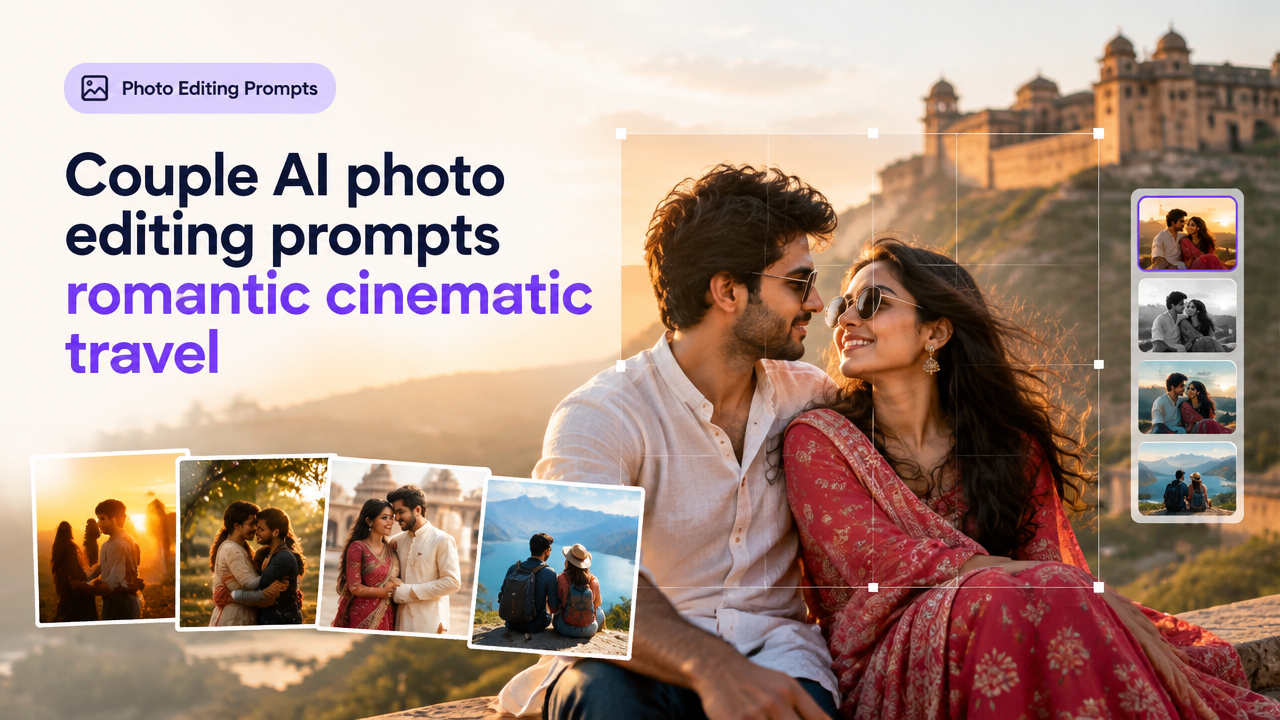
Couple AI Photo Editing Prompts: Romantic, Cinematic & Travel Variations
Answer first: This guide gives you 30–40 original, copy-ready prompts grouped into romantic, cinematic, traditional and travel styles, plus quick customization tips, recommended aspect ratios, a short AI image-editing workflow, a prompt-elements checklist, and common mistakes to avoid. Use these prompts directly in image-to-image or text-to-image tools, then resize/compress for web or forms with SmartImageResize tools if needed.
Why use ready-made couple prompts?
Well-written prompts save time and produce consistent visual styles: romantic softness, cinematic drama, respectful traditional framing, or candid travel editorial shots. They also guide AI models on lighting, focal length, camera lens, color grading and mood so you get usable images faster.
How to read these prompts (quick primer)
- Each prompt includes: subject details, environment/background, lighting, camera/lens cues, color grading or film look, and mood or pose direction.
- Add a negative prompt where your tool supports it (for example: “no text, no watermarks, no extra limbs”).
- For image-to-image, set strength to preserve composition or to allow bigger changes — we give tips in the workflow below.
Prompt groups — copy-ready prompts (30+)
Below are original prompts you can paste into your AI tool. Replace bracketed items to personalize (e.g., [bride dress colour], [city name], [time of day]).
Romantic — soft light & golden hour (8 prompts)
- “A romantic portrait of a couple holding hands on a hill at golden hour, warm backlight, soft lens haze, intimate close-up, 85mm portrait lens, shallow depth of field, pastel color grade, tender expressions”
- “Couple hugging under a tree with drifting pollen, warm sunlight through leaves, cinematic bokeh, natural skin tones, gentle film grain, Kodak-esque warmth”
- “Seated couple on a seaside promenade at sunset, wind-tousled hair, golden reflection on water, soft rim lighting, medium shot, emotional candid moment”
- “Couple slow-dancing on a rooftop at dusk, fairy lights, candlelit glow, soft contrast, 50mm lens, romantic mood, delicate highlights on faces”
- “Couple exchanging shy smiles on a cobbled street, late afternoon sun, warm shadows, intimate portrait, cinematic shallow focus”
- “Couple sharing a coffee at a sunlit window, gentle lens flare, natural homemaker setting, warm shadows, cozy and affectionate mood”
- “Couple silhouetted on a pier with a pastel sunset, long exposure look, subtle motion blur in waves, evocative and calm”
- “Couple walking hand-in-hand through mustard fields, golden light, traditional clothing accents, cinematic wide aperture, happy candid feeling”
Cinematic — moody, dramatic portraits (7 prompts)
- “Moody cinematic portrait of a couple under city neon at night, dramatic rim light, cool teal and warm orange split-tone, 35mm lens, high contrast, filmic grain”
- “Couple in rain with umbrella, dramatic backlight and specular highlights, reflections on wet pavement, dark moody color grade, intimate tension”
- “Couple in old train station, cinematic wide-angle, lens flare streaks, soft ambient fog, deep shadows, editorial fashion feel”
- “Black-and-white cinematic close-up, high-key rim lighting, textured skin detail, deep emotional gaze, classic portrait composition”
- “Late-night rooftop conversation with city lights, warm tungsten key, cool ambient, shallow depth of field, storytelling pose”
- “Couple arguing gently in a sunlit apartment, chiaroscuro lighting, muted color palette, cinematic framing, natural acting expressions”
- “Couple leaning on a vintage car at dusk, film noir color grade, long shadows, deliberate negative space, mood-driven portrait”
Traditional & Respectful — ceremonies, cultural portraits (6 prompts)
- “Traditional wedding portrait of a couple in respectful ceremonial attire, soft daylight, crisp color fidelity, medium shot, ornate backdrop, formal yet warm”
- “Couple performing a blessing ritual in a temple courtyard, natural side lighting, respectful distance, cultural details emphasized, documentary-style clarity”
- “Elderly couple in traditional clothes sitting together in a courtyard, soft natural light, high detail, respectful composition, timeless mood”
- “Couple exchanging garlands in a sunlit mandap, shallow depth of field on hands and garland, soft facial focus, traditional color palette”
- “Street portrait of a couple in traditional market stalls, candid expressions, saturated colors, warm morning light, cultural authenticity”
- “Couple posed for family portrait inside a decorated home, even soft lighting, accurate colors for textiles, formal composition with slight warmth”
Travel & Editorial — landscapes and candid moments (7 prompts)
- “Couple walking along a narrow Jaipur alley, colorful architecture, midday sun, wide-angle environmental portrait, lively editorial vibe”
- “Couple sitting on a cliff overlooking a misty valley at dawn, cinematic wide shot, golden rim light, airy pastel tones, horizon-centered composition”
- “Couple on a scooter through a coastal town, motion blur background, candid smiles, vibrant color grading, 35mm street lens look”
- “Couple exploring a foreign railway platform, candid reportage, natural ambient light, shallow depth for subject separation, story-driven composition”
- “Couple posing by a snowbound chalet, cool tones, soft cloud diffusion, medium telephoto compression, cozy winter clothing”
- “Aerial view of a couple on a desert dune at golden hour, dramatic shadows and sweeping patterns, 3:2 wide aspect, cinematic scale”
- “Couple tasting street food at a night market, warm lamps, shallow depth of field on plates and faces, vibrant street colors, candid joy”
Special variations & stylized looks (4 prompts)
- “Retro 1970s couple portrait with film grain, warm orange tint, natural vignetting, medium shot, nostalgic wardrobe”
- “High-fashion couple editorial on a windswept beach, dramatic winds, deep contrast, crisp texture, editorial retouching style”
- “Soft pastel watercolor painting effect of a couple under cherry blossoms, subtle brush texture, romantic mood, gentle color bleed”
- “Minimalist black-and-white silhouette of a couple against a pale sky, high-key composition, graphic simplicity, emotive pose”
Prompt elements checklist (quick table)
| Element | Purpose | Example |
|---|---|---|
| Subject details | Who and what to focus on | “couple holding hands” |
| Environment | Sets scene and story | “on a hill” |
| Lighting | Mood and time of day | “golden hour” |
| Camera / lens | Depth of field, perspective | “85mm portrait lens” |
| Color grade | Overall tone | “pastel colour grade” |
| Mood/pose | Emotional cue | “tender expressions” |
Aspect ratios, composition and safe-area guidance
- Instagram square: 1:1 — good for profile grid; keep faces centered and avoid cutting heads at the edges.
- Instagram/Facebook portrait: 4:5 — taller crop, use for full-body or waist-up couple shots; mind headroom.
- Landscape / website hero: 16:9 or 3:2 — wide environmental shots work best; place couple using rule-of-thirds or central for symmetry.
- Print / albums: 3:2 or 4:3 — preserve natural composition; watch for bleed in print layouts and leave extra space around edges.
- Safe area tip: leave ~5–10% extra space around subjects for text overlays, cropping or mobile view.
Short workflow: from prompt to final web/print-ready image
- Choose model & tool: pick an image-to-image or text-to-image model that supports inpainting and upscaling. Do not assume exact face identity preservation — many tools alter faces when editing.
- Prepare reference: if using image-to-image, upload your base photo and set strength (lower preserves pose/composition; higher allows big style changes).
- Paste prompt and use a negative prompt to avoid unwanted artefacts (e.g., “no watermarks, no extra limbs, no text”).
- Run several seeds/iterations and compare results. Keep at least two variants for selection.
- Refine with local inpainting or mask edits for small corrections (clothing colors, background elements).
- Upscale and lightly denoise if needed. Perform final color grading to match the desired mood.
- Export and then resize/crop for destination. For web and social images, use Smart Image Resize and the Featured Image Optimization guide to save bandwidth and preserve quality: Featured Image Optimization.
- Compress carefully — see the compress guide if you need very small uploads: Compress Image to 20KB/50KB/100KB.
Customization tips (how to tweak prompts for better results)
- Swap time of day: changing “golden hour” to “blue hour” or “midday” alters mood dramatically.
- Adjust lens cues: 35mm for street/environmental, 85mm or 135mm for tight portraits with creamy bokeh.
- Clothing and cultural cues: specify “traditional saree” or “simple kurta” for respectful, accurate portrayal in Indian contexts.
- Age and body diversity: include specific terms like “middle-aged couple” or “plus-size couple” so results match your creative brief.
- Color grading: use film names only as mood cues (e.g., “warm Kodak-like tones”) without claiming exact film replication.
Common mistakes and how to avoid them
- Overloading prompts — too many conflicting descriptors can confuse the model. Keep the core idea and 2–3 style modifiers.
- Ignoring negative prompts — forgetting to block unwanted artefacts leads to watermarks, extra limbs or text appearing.
- Setting image-to-image strength too high if you want to keep pose/composition; set lower strength to preserve original framing.
- Not checking cultural sensitivity — when creating traditional portraits, be respectful and accurate with attire and rituals.
- Skipping upscaling — small outputs may look fine on-screen but blur when used for prints or hero banners. Use an upscaler step before final export.
Frequently Asked Questions
Where to go next (tools and further reading)
- Need to crop or resize after editing? Follow the Resize Social Media workflow to protect safe areas: Resize Social Media Images Without Cropping Faces.
- If you need hero images optimized for WordPress, see the Featured Image Optimization guide: Featured Image Optimization.
- If you will include text or signatures in images or forms, check signature and form upload guidance: Signature Resize & KB Reduction and Passport & ID Photo Checklist.
Conclusion
These 30+ couple AI photo editing prompts give you practical starting points for romantic, cinematic, traditional and travel portraits. Start by running several variations, refine with inpainting and upscaling, then export using appropriate aspect ratios and compression for your platform. Use the provided checklist and workflow to get consistent, usable images fast.
Happy creating — and if you need help preparing images for upload, use the Smart Image Resize tools and guides linked above to crop, compress and optimise your final files.
Try the matching Smart Image Resize tool
Use the closest live SmartImageResize tool for the task in this guide. For government or platform uploads, verify the latest official requirement before final submission.