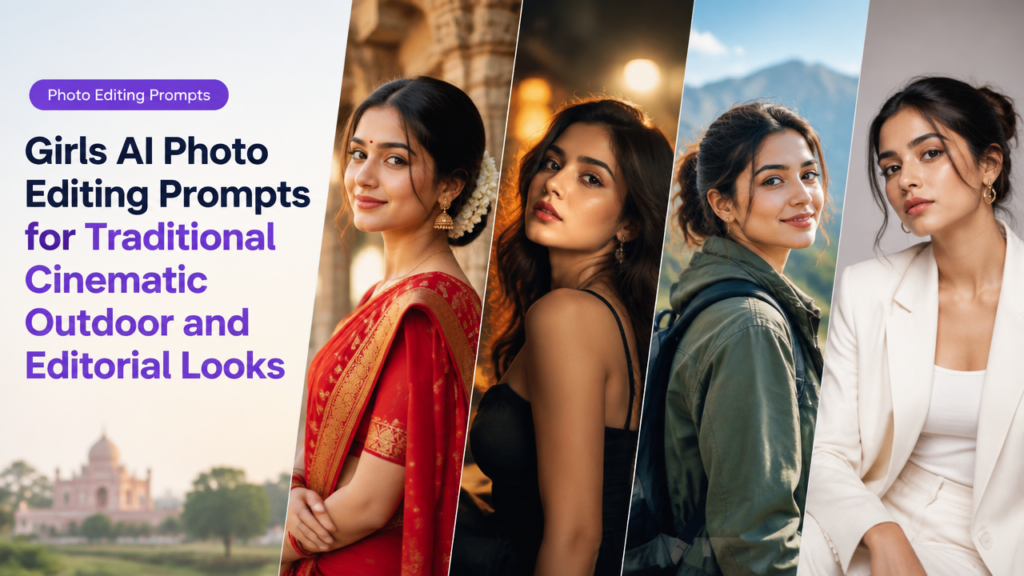
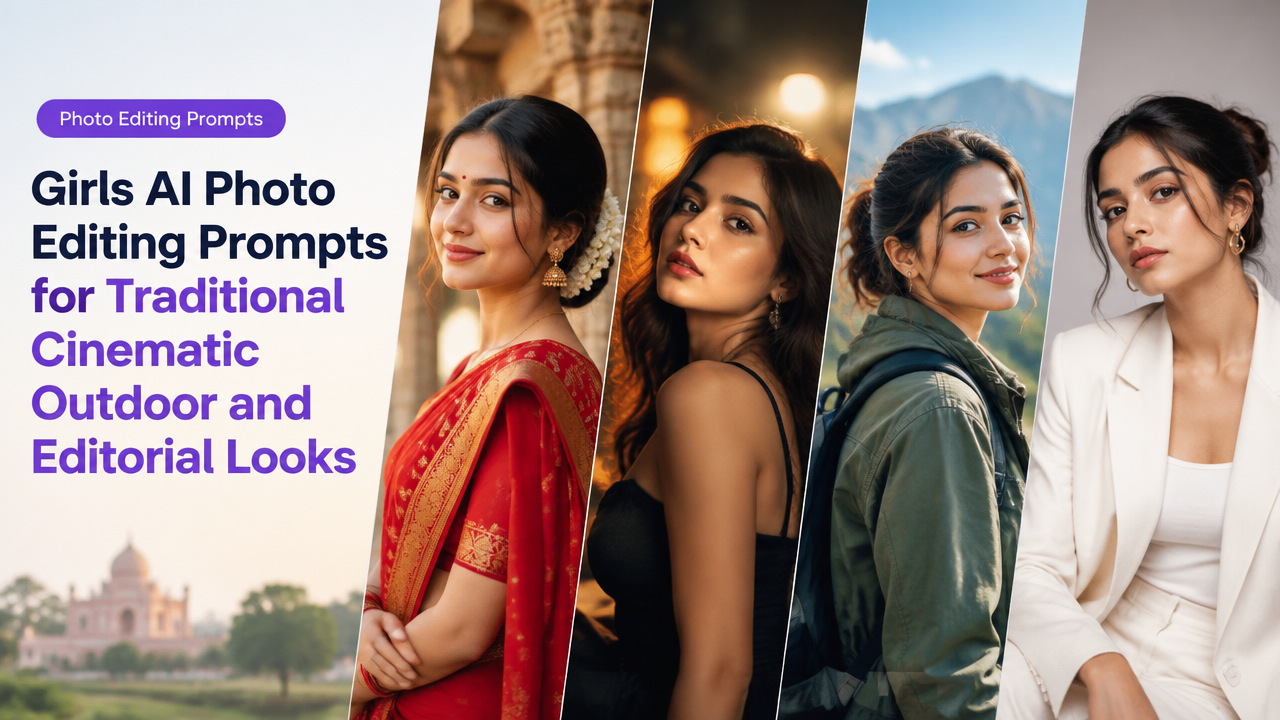
Girls AI Photo Editing Prompts for Traditional, Cinematic, Outdoor and Editorial Looks
Answer first: Below are 28 original, copy-ready AI photo editing prompts for girls, grouped into Traditional, Cinematic, Outdoor and Editorial styles, plus practical customization tips, aspect-ratio guidance and a short workflow so you can generate consistent, high-quality images for social, portfolios and editorial work.
Why these prompt groups matter (trend + creator intent)
Creators and photographers increasingly use AI to prototype looks, design moodboards and produce stylized content. Grouping prompts by style—Traditional, Cinematic, Outdoor, Editorial—helps you generate consistent visual directions and iterate faster. These prompts are trend-aware but tool-agnostic: copy them into your preferred image model, then tweak lighting, camera, and color terms to match your brand.
How to use this prompt pack (quick workflow)
- Choose a base prompt from a group below that matches the concept (Traditional, Cinematic, Outdoor, Editorial).
- Add camera & lens notes (eg. 85mm, shallow depth of field) and lighting (eg. soft golden-hour backlight).
- Decide aspect ratio/composition (see guidance later).
- Use negative prompts to remove unwanted elements (clutter, extra limbs, text, logos).
- Generate variants, pick the best, then upscale and do minor retouching (skin tones, color balance).
- Export and resize/compress for the target platform — use Smart Image Resize and optimization guides if needed.
For resizing and social-safe crops see: Resize Social Media Images Without Cropping Faces and for final image performance, read: Featured Image Optimization for WordPress.
Prompt writing rules (short checklist)
| Rule | Why it matters |
|---|---|
| Start with subject + outfit | Keeps the model and styling clear (eg. “young woman in red saree”) |
| Add mood & lighting | Defines color grade and atmosphere (eg. “soft golden-hour light”) |
| Include camera/lens | Controls depth of field & framing (eg. “85mm, f/1.8”) |
| Specify finish | Editorial vs natural: tells the model if it should be retouched or film-like |
| Use negatives | Remove artifacts: (“no watermark, no text, no extra fingers”) |
Traditional Looks — 7 copy-ready prompts
Use these when you want culturally grounded, respectful Indian outfits and jewellery. Swap garment names (saree, lehenga, salwar) and accessories to match the cultural context.
- Portrait of a young woman in an elegant silk saree, delicate gold jewellery, soft golden-hour side light, warm color grading, shallow depth of field, natural skin texture, editorial-retouched finish.
- Three-quarter portrait of a girl in pastel salwar kameez with light dupatta, daylight through a lattice window, soft rim light, muted film tones, high detail on fabric and embroidery.
- Woman in a red lehenga, low-angle full-body shot at dusk, warm ambient lights, bokeh fairy-lights background, vibrant colours, cinematic grain, high-res, poised editorial pose.
- Close-up of a girl with mehndi on hands, wearing temple jewellery and tiny bindi, studio softbox lighting, shallow focus on hands and face, natural skin tones, high clarity.
- Traditional kurta portrait at a heritage site, overcast light for soft shadows, wide lens environmental portrait, colors true-to-life, respectful styling and simple makeup.
- Bride-style headshot with subtle highlights on cheekbones, matte skin finish, vintage film color grade, 50mm lens, gentle vignette.
- Young woman in block-printed cotton saree, candid walking pose in a market lane, golden-hour backlight, warm tones, motion suggestion, high texture detail.
Cinematic Looks — 7 copy-ready prompts
For moody, story-driven portraits with dramatic lighting and filmic color grading.
- Moody cinematic portrait of a girl under neon signs, cool teal-and-orange grade, shallow depth of field, slight film grain, dramatic rim light, 85mm, high-contrast shadows.
- Backlit silhouette at sunset on a rooftop, warm lens flare, soft haze, wide cinematic aspect, low-key color, natural expression, filmic texture.
- Rainy-street cinematic portrait, umbrella reflections and wet pavement bokeh, cool desaturated grade, 50mm, shallow focus, emotive pose.
- Golden-hour portrait in tall grass, dramatic backlight, warm highlights, subtle film grain, soft skin retouch, environmental framing for storytelling.
- High-contrast indoor portrait with a single window beam, moody chiaroscuro, muted palette, cinematic studio feel, medium format look.
- Close-up with strong rim light and smoke/fog for atmosphere, teal-cyan fill, warm key light, cinematic color grade, selective focus on eyes.
- Nighttime train-station portrait, fluorescent highlights, long shadows, cinematic grain, candid expression, 35mm for environmental context.
Outdoor & Travel Looks — 7 copy-ready prompts
Designed for wanderlust content, street fashion and natural light portraiture.
- Beachside portrait of a young woman in a breezy kurta, natural sunset light, soft color palette, wide composition, motion in hair and fabric, high detail.
- Mountain trek portrait with wind-blown hair, layered clothing, golden morning light, environmental depth, crisper cooler colors, 35mm or 24mm for landscape context.
- Street-market candid portrait, colorful stalls and spices out of focus, warm ambient light, shallow depth, natural smile, documentary style.
- Urban rooftop portrait with skyline bokeh, dusk blue hour light, soft rim illumination, editorial-casual styling, medium focal length.
- Flower-field portrait with wide aperture, pastel color grade, soft-focus foreground florals for framing, natural sunlight, dreamy mood.
- Forest-path portrait with dappled sunlight, rich midtones, subtle contrast boost, natural skin rendition and textured clothing detail.
- Desert golden-hour portrait, warm sandy tones, long shadows, minimalist composition, 85mm for flattering compression and subject isolation.
Editorial & High-Fashion Looks — 7 copy-ready prompts
For magazine-style portraits, strong styling and polished finishes.
- High-fashion editorial portrait: bold colour-block outfit, studio white background, hard key light, crisp shadows, matte skin finish, 50mm, high-detail retouch.
- Fashion cover-style close-up with dramatic makeup, high contrast lighting, saturated colours, shallow depth, fashion-forward hair and accessories.
- Avant-garde editorial in a minimalist studio, monochrome palette, sculptural poses, strong rim light, high-resolution texture and fabric detail.
- Street-luxury editorial with oversized blazer and statement jewellery, urban backdrop slightly blurred, polished skin tone, filmic grain for texture.
- Studio three-quarter portrait with colored gel backlight, glossy finish, bold posing, magazine layout-friendly composition (wide crop version).
- Beauty editorial close-up focused on eyes and lips, flawless retouching, softbox beauty dish, subtle catchlight, neutral color grading.
- Runway-inspired full-length studio shot, dynamic pose, high-contrast lighting, crisp shadows, fashion magazine crop-ready composition.
Customization tips — make any prompt yours
- Change ethnicity, age and skin tones explicitly if you need representation or brand consistency.
- Swap garments and accessories to reflect regional styles: saree, lehenga, salwar, kurta, or modern fusion pieces.
- Adjust lighting words: “golden-hour”, “soft window light”, “hard rim light”, “neon backlight”—these shift mood dramatically.
- For sharper portraits, add camera/lens details: “85mm, f/1.8, shallow depth of field” or “50mm, f/2.0, medium format look.”
- Use negative prompts: “no watermark, no text, no extra limbs, no logo, avoid oversmooth skin” to reduce artifacts.
- For editorial polish, add finishing terms: “high-res, retouched, natural skin texture, color graded”.
Aspect ratio and composition guide (quick reference)
| Use case | Aspect ratio | Why |
|---|---|---|
| Instagram portrait / feed | 4:5 (vertical) | Makes the subject larger in the mobile feed. |
| Editorial cover / magazine | 3:2 or 4:5 | Classic portrait crop, room for masthead or copy. |
| Cinematic wide shot | 16:9 or 2.39:1 | Wide storytelling frames with background context. |
| Square thumbnails | 1:1 | Consistent layout for grids and profile teasers. |
Common mistakes and tips for better results
- Over-specifying conflicting terms (eg. “soft and harsh lighting” together). Keep lighting adjectives consistent.
- Too many style modifiers—simpler prompts produce fewer artifacts. Start with core terms, then add one or two finishers.
- Ignoring negative prompts leads to unwanted text, logos or extra limbs — always include negatives if your tool supports them.
- Not setting aspect ratio before generation can create awkward crops. Specify the intended ratio early.
- Expect to generate multiple variants; choose the best and then perform minor retouching instead of forcing the model to get everything perfect on first try.
- Be culturally respectful: when using traditional garments, avoid caricature and ensure accurate jewelry and styling descriptions.
Short post-generation checklist (export & web-ready)
- Pick best variant → minor retouch (skin tone, highlights) → crop to target aspect ratio → resize for platform → compress for web.
- For social: use safe-area resize to avoid cutting faces or logos.
- For WordPress/portfolio: optimize featured images following performance best practices: image optimization guide.
Frequently Asked Questions
Further reading on technical steps
For prompt-adjacent tasks, check techniques for cinematic portrait prompts and portrait prompt ideas on SmartImageResize:
- Cinematic Portrait AI Photo Prompts
- AI Portrait Prompt Ideas for Social Media
- Resize Social Media Images Without Cropping Faces
- Featured Image Optimization for WordPress
Conclusion
This pack gives you 28 practical, original prompts plus a clear workflow to generate traditional, cinematic, outdoor and editorial girls’ portraits. Start with one base prompt, iterate with camera and lighting modifiers, use negative prompts to reduce artifacts, and always finalize by cropping and optimizing for the target platform. Keep prompts respectful and test variations — that is the fastest route to consistent, creator-ready images.
Try the matching Smart Image Resize tool
Use the closest live SmartImageResize tool for the task in this guide. For government or platform uploads, verify the latest official requirement before final submission.