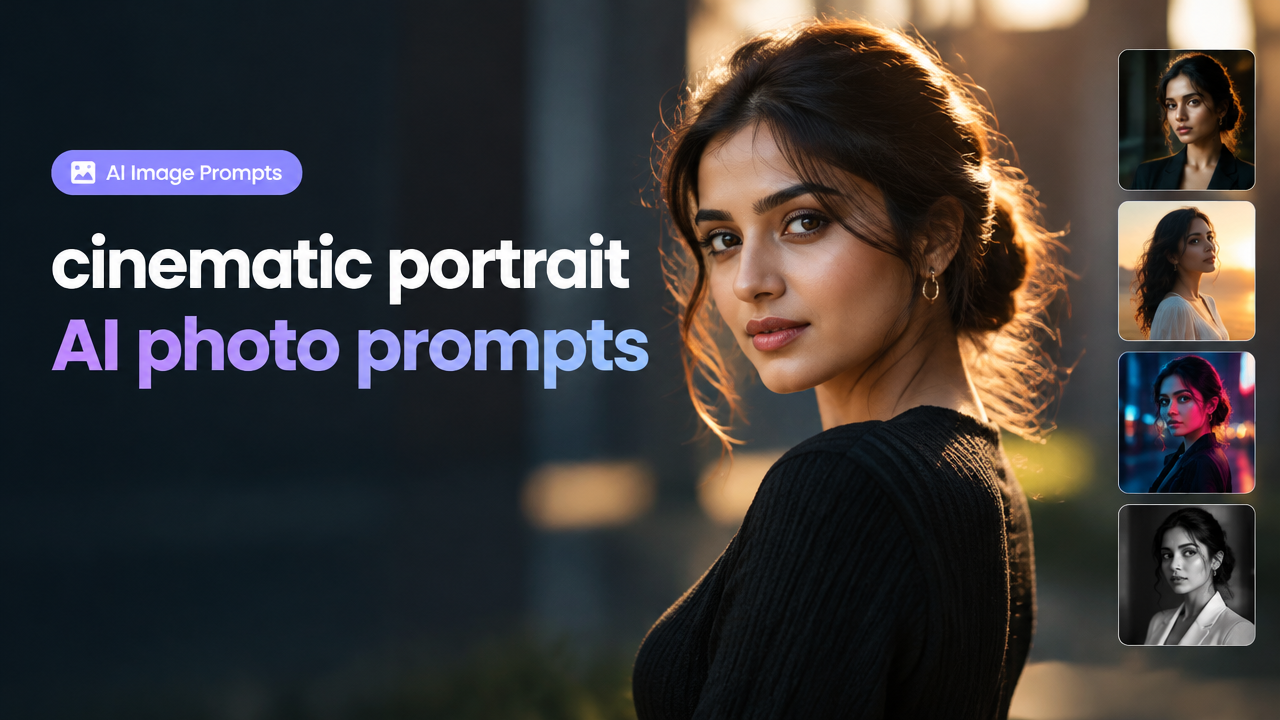
Answer first: Use these copy-ready cinematic portrait AI photo prompts to quickly generate varied, high-quality portraits with distinct lighting, camera choices, backgrounds and poses. Below you’ll find 30+ original prompts grouped by style, plus customization tips, aspect-ratio guidance, a compact workflow for generation and resizing, a checklist, common mistakes and FAQs.
Why use structured cinematic prompts?
Cinematic prompts make it easier for image models to produce consistent mood, depth and professional framing. By specifying lighting, camera/lens, background and pose variations you get portraits that look intentional — useful for social profiles, portfolio shots, thumbnails, or promotional art.
How to read each prompt (quick guide)
- Lighting: key information about direction, quality (soft/hard), and color temperature.
- Camera/Lens: focal length or camera style for depth and bokeh (e.g. 50mm, 85mm, wide-angle 35mm, or cinematic 35mm film look).
- Background: environmental cues (studio, alley, neon signs, golden-hour field).
- Pose & Expression: body angle, head tilt and emotional cue for storytelling.
- Color/Grading: film stock, teal-orange, monochrome, or desaturated tones.
Copy-ready cinematic portrait AI photo prompts (30 prompts, grouped)
Copy an entire prompt into your model or tool. Adjust subject details (age, gender, clothing) as needed.
1. Classic Rembrandt / Low-Key Studio (5 prompts)
- “Close-up cinematic portrait, Rembrandt lighting: single soft key from 45° left, deep shadow on right, 85mm lens, shallow depth of field, neutral gray seamless background, calm confident expression, filmic grain, muted color grade.”
- “Three-quarter studio portrait, low-key lighting, hard rim light on hair, short telephoto 85mm, black backdrop, casual blazer, subtle smile, warm highlights and cool shadows, cinematic contrast.”
- “Head-and-shoulders portrait with soft box from high left, faint bounce fill, 50mm f/1.8 look, dark charcoal background, intense gaze, buttery skin tones, classic film color grade.”
- “Moody profile portrait, single narrow strip light, 135mm compressed perspective, black vignette, neutral expression, silver-tone film grain and high contrast.”
- “Soft directional window light portrait, pastel rim fill, 85mm cinematic lens blur, matte finish, introspective mood, subdued saturation.”
2. Golden Hour Outdoor / Warm Natural Light (5 prompts)
- “Golden hour cinematic portrait, backlit rim from sunset, wide aperture 85mm bokeh, tall grass background, warm golden tones, relaxed laughing pose, soft lens flare.”
- “Half-body outdoor portrait at dusk, 50mm, soft warm fill from reflector, city skyline in soft blur, candid walking pose, natural color grade with amber highlights.”
- “Sunlit shoulder portrait, lens at 35mm for environment feel, trees in background, gentle wind in hair, golden rim light and soft shadow, cinematic warmth.”
- “Field portrait with sun behind subject, long focal length compression, low contrast shadow detail, wide aspect, organic color palette, contemplative expression.”
- “Close-up with sun flare edge, slight film grain, 85mm classic portrait lens, pastel tones and warm midtones, soft smile and eye contact.”
3. Neon Noir / Night City Portraits (5 prompts)
- “Neon noir cinematic portrait, saturated magenta and cyan rim lights, wet pavement bokeh, 50mm wide-open for shallow DOF, edgy confident pose, moody urban background.”
- “Street-side window light with neon signage reflections, medium tele 85mm, dramatic side lighting, reflective coat, cinematic grain and high saturation.”
- “Close-up under neon umbrella, specular highlights, color contrast teal-magenta, soft background blur, intense smoldering gaze, film noir mood.”
- “Three-quarter shot near metro station, mixed warm tungsten and cold neon, 35mm for slight environmental context, dynamic posture looking away, cinematic contrast.”
- “Silhouette with neon rim, slow shutter feel, motion blur in background, high contrast, modern cyberpunk aesthetic, subtle skin highlight.”
4. Environmental / Lifestyle Cinematic Portraits (5 prompts)
- “Environmental portrait in a cozy cafe, warm window light, 35mm lens to include background, subject at table reading, natural candid pose, filmic color grade with soft shadows.”
- “Artist workspace portrait, soft directional desk lamp, 50mm lens, shallow DOF showing tools in background, thoughtful expression, muted earthy tones.”
- “Outdoor market portrait with shallow depth, colorful stalls blurred behind, 85mm compression, candid smile, warm highlights and realistic skin texture.”
- “Freelancer at laptop by daylight, over-the-shoulder cinematic framing, natural reflections, 35mm environmental wide feel, focused working pose.”
- “Portrait in vintage car, low-angle 35mm, warm leather tones, moody light through windshield, retro cinematic grading, relaxed confident pose.”
5. Dramatic Action & Movement (5 prompts)
- “Dynamic mid-action portrait, subject turning head, slight motion blur on hair, 50mm focal length, tungsten rim light, cinematic freeze-frame energy, intense expression.”
- “Leaping portrait with shallow focus, wide aperture and fast shutter suggestion, studio strobe backlight, dramatic shadow, vibrant color contrast.”
- “Walking toward camera cinematic shot, natural street light, 35mm for environmental context, confident stride, golden-hour grading.”
- “Wind-swept coat portrait, three-quarter framing, rim lighting and soft fill, 85mm for compression, powerful cinematic stance.”
- “Cinematic portrait with smoke or haze in background, volumetric light beams, 50mm shallow DOF, mysterious mood and high contrast.”
6. High-Key Clean Editorial (5 prompts)
- “High-key editorial headshot, even softbox lighting, white seamless background, 85mm lens, crisp skin tone, soft shadow under chin, modern polished grade.”
- “Bright lifestyle portrait with airy feel, pastel background, 50mm lens, natural smile, minimal contrast, magazine-style finish.”
- “Studio mid-shot with soft rim and even fill, neutral wardrobe, 85mm shallow depth, clean color correction and subtle sharpening.”
- “Candid indoor portrait in a bright room, window fill, 35mm for context, light wardrobe, joyful expression, natural skin tones.”
- “White-on-white minimalist portrait, soft shadows for depth, 85mm for portrait compression, clean contemporary look suitable for professional profiles.”
Customization tips: lighting, camera and color
- Lighting temperature: add “warm (3200K)” or “cool (5600K)” if your tool accepts Kelvin hints. Otherwise use words like warm/amber or cool/blue.
- Lens look: say “50mm” for natural portrait, “85mm” for compressed background and creamy bokeh, “35mm” if you want more environment visible.
- Depth of field: use “shallow DOF” or “deep focus” to control background clarity.
- Color grading: specify “teal-orange” for cinematic pop, “muted desaturated” for subdued looks, or “monochrome high contrast” for timeless portraits.
- Face details: avoid demanding exact real-person likeness; use neutral descriptors like ‘young professional’ or ‘middle-aged artist’ to stay safe and model-compliant.
Aspect ratio & composition guide
Common aspect ratios and when to use them:
| Aspect Ratio | Use Case | Notes |
|---|---|---|
| 4:5 or 3:4 | Instagram portrait posts | Good balance of subject and background |
| 1:1 | Profile avatars, social thumbnails | Center subject and crop secondary elements |
| 16:9 | Thumbnails, banners | Wider environment; use headroom and negative space |
| 2:3 | Print portraits | Classic vertical composition |
Tip: specify “portrait aspect 4:5” or “aspect ratio 3:4” in prompts to guide framing. For cinematic wides, use 16:9 with environmental cues.
Quick generation + post-processing workflow
- Choose a prompt group that matches your mood (e.g. Neon Noir for night portraits).
- Paste the copy-ready prompt into your AI image tool and set the desired aspect ratio and seed if available.
- Generate 4–8 variations. Pick the best and run 1–2 refinement passes (face detail, crop, color balance).
- Export the image at high resolution (keep original for edits). If you plan to upload on social, resize using SmartImageResize’s free tool for safe-area and compression: Smart Image Resizer, Converter & Compressor — Free Online Tool.
- For professional portrait sets see related prompts: Professional Workspace AI Portrait Prompts and social variations guide: AI Portrait Prompt Ideas for Social Media.
Practical checklist before exporting or uploading
- Resolution: keep at least 2048 pixels on the longest side for safe cropping.
- Aspect & crop: ensure subject is inside safe-area for avatars or thumbnails.
- Compression: balance quality vs KB depending on target — use WebP for web where supported.
- Metadata: remove sensitive metadata if required for privacy.
- File format: use JPG or WebP for photographs; PNG only if you need lossless or transparency.
Common mistakes and tips for better results
- Vague prompts: “portrait” alone yields inconsistent results—use lighting, lens and mood phrases.
- Over-specifying: too many conflicting details (exact shutter speed plus film stock plus unrealistic lighting) can confuse the model. Keep prompts precise and hierarchical: start with mood, then lighting, then camera, then pose.
- Ignoring aspect ratio: generate at the desired crop ratio to avoid awkward crops later.
- Neglecting backgrounds: if you want context, specify environment and blur level (“soft background with bokeh”).
- Assuming perfect faces: most models alter details—use refinement steps to correct facial artifacts rather than expecting a perfect result on pass one.
Frequently Asked Questions
Conclusion
These cinematic portrait AI photo prompts give you a fast, structured way to generate varied, professional-looking portraits. Start with a style group, keep lighting and lens details consistent for series, and follow the short workflow to refine and resize for your final use. For resizing or safe-area cropping before upload, use the site tool: Smart Image Resizer, Converter & Compressor — Free Online Tool. For more creator-focused prompt sets, see our related collections linked above.
Ready for a test run? Pick a prompt, choose your aspect ratio, and iterate—cinematic portraits are as much about consistency as they are about a single successful image.
Try the matching Smart Image Resize tool
Use the closest live SmartImageResize tool for the task in this guide. For government or platform uploads, verify the latest official requirement before final submission.