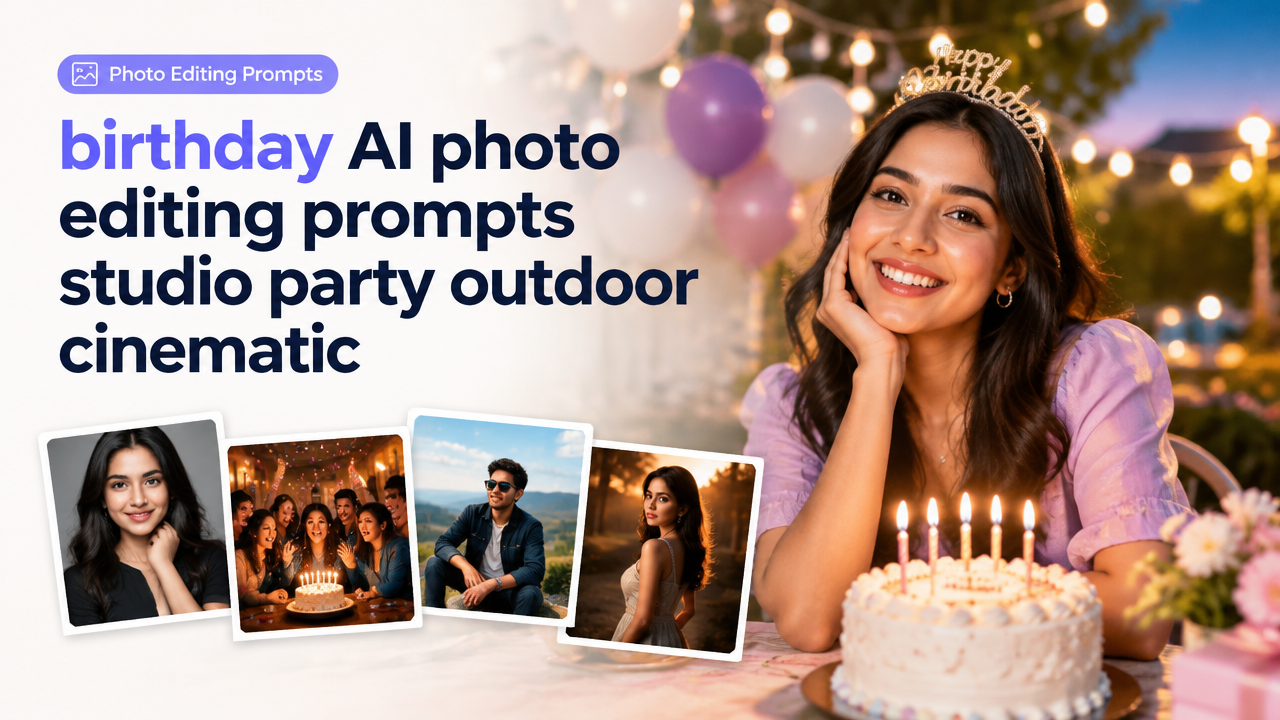
Birthday AI photo editing prompts: studio, party, outdoor & cinematic
Answer first: This guide gives you 30+ copy-ready AI prompts grouped by studio, party, outdoor and cinematic styles for birthday photos, plus customization tips, aspect-ratio and composition advice, a short workflow, and common mistakes to avoid.
Why use ready prompts for birthday images?
Prompts speed up creative work, keep consistent looks across a set, and help non-photographers get professional-feeling results. Use these prompts when you want a polished portrait, a lively party scene, natural outdoor shots, or a cinematic birthday hero frame.
How this article is organized
- Copy-ready prompts (grouped by style)
- Customization tips and variables you can tweak
- Aspect-ratio, composition and safe-area guidance
- Short workflow: from prompt to final-ready image
- Common mistakes and quick fixes
- Frequently asked questions
30+ copy-ready birthday AI prompts (ready to paste)
Use these bases in your preferred image AI engine. Add or remove details to match age, wardrobe or cultural cues (e.g., saree, kurta, party hat). Each prompt is English-first, camera/lighting specifics included.
Studio portrait (clean, classic)
- “Studio birthday portrait of a smiling woman, 30s, softbox key light, grey seamless background, Rembrandt lighting, 85mm portrait lens, shallow depth of field, natural skin tones, subtle color grading, high-detail”
- “Studio birthday portrait of a teen boy wearing a smart casual shirt, dramatic rim light, low-key backdrop, cinematic contrast, 50mm, sharp eyes, gentle skin retouch, editorial finish”
- “Birthday studio family portrait, three generations, soft even lighting, neutral backdrop, posed natural smiles, subtle vignetting, color-corrected, 35mm moderate depth”
Indoor party (candles, confetti, lively)
- “Indoor birthday party scene, friends cheering around cake, warm tungsten ambient light, string lights bokeh, motion blur on confetti, 35mm, lively candid composition, vibrant color grade”
- “Candid shot of cake-blowing moment, candlelight glow on face, shallow depth, warm contrast, slight film grain, high energy”
- “Kids birthday party indoors, balloons and colourful streamers, soft fill flash, saturated yet natural colours, playful expressions, eye-level angle”
Outdoor (garden, park, golden hour)
- “Outdoor birthday portrait during golden hour, backlit hair rim, warm sunlight, lens flare, 85mm, airy pastel color palette, soft highlights”
- “Family picnic birthday in a park, candid laughter, natural light, shallow depth of field, wide aperture, candid documentary style”
- “Outdoor kids cake-smash session, grass foreground, sunlit bokeh, high shutter to freeze motion, playful color pop”
Cinematic birthday hero shots
- “Cinematic birthday hero portrait, moody teal-and-orange grade, dramatic low-key lighting, 35mm anamorphic look, high contrast, cinematic letterbox crop”
- “Slow-motion birthday confetti in air, dramatic side light, deep shadows, 1.85:1 aspect ratio, filmic grain and warm highlights”
- “Nighttime rooftop birthday, city skyline bokeh, neon rim lights, cinematic color grade, wide-angle shallow focus, dramatic pose”
Close-up cake and detail shots
- “Close-up of birthday cake candles, shallow depth, warm candle glow reflection, macro detail, soft background blur”
- “Hands cutting cake, fork and crumbs in focus, moody soft light, 50mm close-up, natural colours”
- “Party details: glitter, balloons and confetti macro, vibrant color saturation, shallow depth, high texture detail”
Kids & family (playful, candid)
- “Joyful child portrait with face paint, colourful party hat, studio-styled soft light, playful expression, crisp eyes, subtle film grain”
- “Group family hug, natural smiles, ambient living room light, 35mm, warm homey colour grade, candid composition”
- “Grandparents and grandchildren blowing candles together, emotional close-up, soft warm fill, authentic expressions”
Creative/Theme variations
- “Retro 80s themed birthday portrait, neon rim light, desaturated blacks, film grain, bold colour pops, vintage wardrobe”
- “Minimalist modern birthday: clean white studio, monochrome outfit, single softbox, editorial pose, high-key exposure”
- “Bollywood-inspired party portrait, colourful lehenga, decorative bokeh, warm saturated colours, festive jewelry highlights”
How to customize prompts (variables to tweak)
- Subject details: age, gender, outfit (e.g., kurta, saree, party dress), ethnic cues.
- Lighting: golden hour, tungsten, softbox, rim light, backlight, candlelight.
- Lens & look: 85mm portrait, 35mm environmental, macro for details, anamorphic for cinematic.
- Mood & color grading: warm, teal-and-orange, pastel, high-saturation, filmic grain.
- Composition & action: close-up, wide environmental, cake cut, confetti in air, candid laugh.
Aspect ratio, composition and safe-area guidance
Choose an aspect ratio based on the final use:
| Use | Aspect ratio | Why |
|---|---|---|
| Social feed (Instagram square) | 1:1 | Balanced crop good for portraits and product-like cake shots |
| Instagram Reel / TikTok cover | 9:16 (vertical) | Tall framing to fill mobile screens, keep faces within top third |
| Hero/cinematic | 2.39:1 or 1.85:1 | Wide cinematic framing for mood and environment |
| Web/thumbnail | 16:9 | Standard for YouTube or website banners |
Safe-area tip: keep faces and important details 5–10% inside from each crop edge to avoid accidental cropping on different platforms.
Short workflow: from prompt to final image (practical)
- Pick or adapt a prompt above. Add subject specifics and wardrobe cues.
- Generate several variations (3–8) so you can choose the best facial expression and composition.
- Pick the output with the best pose, then run a focused edit pass for colour, skin tone and clean-up.
- Resize and compress for the final destination. Use a trusted tool like the Smart Image Resizer, Converter & Compressor to set exact dimensions and file size.
- Export in the format required: WebP or JPG for web, PNG for transparent overlays. See format trade-offs in the JPG PNG WebP quality vs file size guide.
Checklist for birthday prompt success
| Item | Why it matters |
|---|---|
| Clear subject description | Improves face/pose fidelity |
| Lighting direction | Defines mood and depth |
| Lens/Look | Controls background blur and style |
| Background & props | Matches the birthday theme |
| Desired aspect ratio | Avoids cropping surprises |
| Export format & size | Ensures platform compatibility |
Common mistakes and quick fixes
- Over-specified prompts: Too many conflicting details create strange results. Fix: simplify and iterate—start broad then add one detail at a time.
- Ignoring aspect ratio: Subject gets cropped. Fix: include desired ratio in your prompt (e.g., “crop to 4:5 portrait”) and keep a safe margin.
- Excessive smoothing or fake skin: AI can over-retouch. Fix: ask for “natural skin texture” and reduce smoothing artifacts in post.
- Low-resolution output for prints: AI outputs may be small. Fix: request high-resolution outputs and use smart upscaling tools; compress carefully to avoid blur (see why images become blurry after compression).
- Wrong colours under mixed lighting: Candlelight vs LED can clash. Fix: include precise lighting notes and use white balance correction in post.
Tips for better results
- Generate multiple seeds and keep the best expression—people often prefer small variations in eye contact and mouth.
- Mention wardrobe colours if you need coordination (e.g., “wearing a pastel blue kurta”) to avoid odd clashing tones.
- For Indian festival-style birthdays, add respectful cultural detail and avoid costume stereotypes—this keeps images authentic.
- Use references sparingly: add one image reference for lighting or colour, not multiple conflicting references.
- After you have the main image, fine-tune with Smart Image Resize for proper dimensions and compression before upload.
Frequently Asked Questions
Conclusion
Use these birthday AI photo editing prompts as a practical starting point. Generate multiple variations, keep your instructions clear, choose the right aspect ratio for your platform, and finish with careful resizing and compression. For resizing, format and compression trade-offs, use the Smart Image Resize tools and the format guide linked above to export sharp, share-ready birthday images.
Try the matching Smart Image Resize tool
Use the closest live SmartImageResize tool for the task in this guide. For government or platform uploads, verify the latest official requirement before final submission.