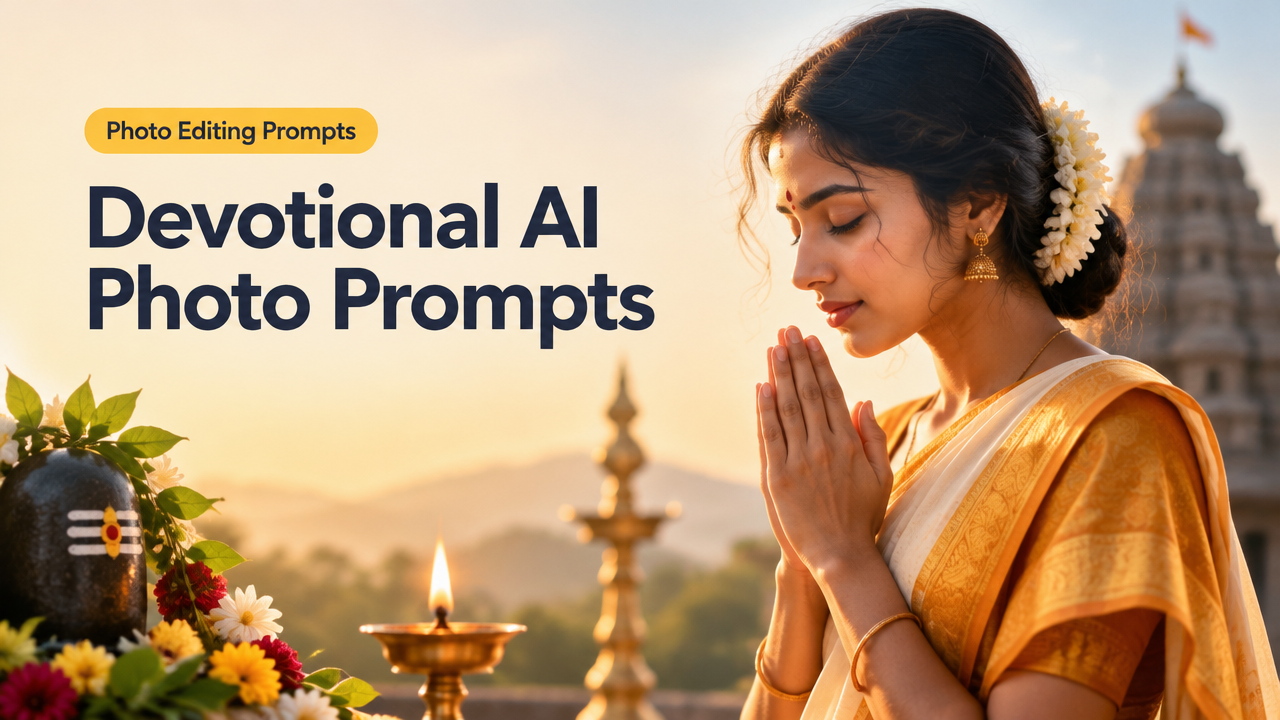
Devotional AI Photo Prompts for Respectful Indian Spiritual Images
Family: Trend/Creator — Photo Editing Prompts. Quick answer: below are 30 original, copy-ready AI prompts grouped by style, plus customization guidance, aspect-ratio and composition tips, a short workflow, export checklist, and ethical guidelines to help you create respectful devotional images for social posts, album covers, temple brochures and personal projects.
Why these prompts — and who should use them
These prompts are for creators who need respectful, culturally-aware devotional visuals: photographers, designers, musicians, temple communications teams and social creators. Use them to generate ideas, mockups, art-direction references, or finished images for devotional contexts. Always follow site/platform guidelines and local cultural norms when publishing religious imagery.
Respect & legal/ethical checklist
- Do not use real worshippers’ images without consent. For images of deities, avoid replacing a real person’s face; use stylized iconography or symbolic compositions.
- Keep garments, rituals and symbols respectful — specify “traditional, respectful” in prompts.
- Verify platform rules for religious imagery (social networks, publishers, temple trusts) before public use.
- Credit human creators where required and avoid impersonation or political use of sacred symbols.
Copy‑ready prompts (30) — grouped by useful styles
Each prompt is deliberately neutral and respectful. You can paste these into image-generation tools and then tweak for age, gender, clothing, or region.
Traditional Puja Portraits (6)
- “Close-up portrait of a middle-aged woman in saffron sari performing puja, soft golden morning light, hands in namaste, gentle bokeh, respectful expression, 85mm portrait lens, warm color grading”
- “Young man wearing a simple kurta with vermilion tilak, holding a small oil lamp (diya), studio softbox lighting, shallow depth of field, natural skin tones, candid devotional moment”
- “Elderly devotee with folded hands and closed eyes, traditional shawl, soft rim light highlighting profile, quiet reverence, 3:4 portrait crop”
- “Family of three offering flowers at a home altar, modest clothing, warm candlelight, documentary style, wide aperture, unobtrusive background”
- “Child placing a marigold garland on an idol stand, natural window light, joyful and respectful mood, moderate contrast, 50mm lens”
- “Woman tying a sacred thread, close detail on hands and thread, macro-level texture, natural tones, respectful cultural context”
Temple & Architecture Composites (4)
- “Exterior of a small south-Indian temple at golden hour, warm light on carved stone, pilgrims in respectful distance, wide-angle, high-dynamic range”
- “Temple corridor with repeating pillars and a distant lit sanctum, symmetrical composition, long exposure to blur moving devotees, muted color palette”
- “Close detail of ornate temple carvings with soft lateral light, high texture clarity, subtle vignette for focus”
- “Pilgrim silhouette on temple steps at sunrise, misty atmosphere, serene composition, 16:9 banner crop”
Devotional Festival Scenes (4)
- “Festival evening with rows of diyas on steps, shallow depth showing foreground lights, colorful rangoli out of focus, warm film grain”
- “Procession scene with respectful crowd, traditional attire, flags, and ambient street lighting, motion energy captured with moderate shutter speed”
- “Close-up of hands arranging offerings (fruits, flowers) on a brass plate, top-down composition, high detail and natural color”
- “Community prayer gathering in an open courtyard, natural light, inclusive composition showing men and women in traditional dress, documentary honesty”
Bhajan / Album Cover Portraits (4)
- “Studio portrait for bhajan album: singer in kurta, soft key light, textured backdrop with faint temple silhouette, elegant typography space, 4:5 crop”
- “Minimalist devotional album cover: candle-lit silhouette and warm gradient background, centered composition, negative space for title”
- “Contemporary devotional single: close-up of harmonium and hands, shallow depth, warm film tones, square crop for streaming services”
- “Ethereal singer portrait with soft halo light, subtle golden particles, serene expression, gentle color grading for spiritual mood”
Still-life Offerings & Diyas (4)
- “Top-down still life of brass thali with flower petals, incense smoke curling upward, soft natural light, high detail”
- “Row of clay diyas on a stone ledge, evening glow, selective focus on nearest diya, warm shadows”
- “Offering bowl with fruits and betel leaves on a woven mat, muted background, rich texture, studio-style lighting”
- “Incense stick with visible smoke patterns against dark background, calm and meditative mood, high contrast monochrome”
Minimalist Icons & Symbolic Compositions (4)
- “Simple stylized icon of a lotus and diya, flat color palette, balanced negative space, suitable for logo or avatar”
- “Silhouette of a hand in blessing gesture on a textured paper background, soft shadow, monochrome with a single accent color”
- “Abstract light rays behind a circular symbol, soft glow, contemplative mood, suitable for banners”
- “Minimal flat-lay of prayer beads on a linen cloth, overhead lighting, neutral color grading, square crop for social”
Modern Meditative Editorial Portraits (4)
- “Young meditator on a rooftop at sunrise, soft pastel sky, relaxed posture, environmental portrait with urban temple silhouette in background”
- “Black-and-white meditative portrait with deep shadows and rim light, calm expression, 3:4 vertical crop”
- “Contemporary studio portrait with subtle religious symbol pendant, clean backdrop, fashion-style light and respectful expression”
- “Portrait in semi-profile with blurred temple bells in background, cinematic color grade, controlled highlight roll-off”
Customization tips — make prompts fit your project
- Add region keywords: “Bengali”, “Tamil Nadu”, “Goan” to hint at clothing, ornaments and architecture.
- Specify age and gender: “elderly woman”, “teen boy”, “non-binary adult” to control subject identity without stereotyping.
- Tone and texture: add “film grain”, “matte finish”, “high detail” depending on finish you want.
- Camera/lighting cues: “50mm, shallow depth”, “golden hour”, “softbox key light” for photographic realism.
- Cultural accuracy: add “traditional, respectful” and name clothing pieces (sari, dhoti, kurta) rather than vague descriptions.
Aspect-ratio and composition guidance
Choose aspect ratio by final use:
- Portrait posts and prints: 4:5 (vertical) or 3:4 for close portraits.
- Social profile or streaming thumbnails: 1:1 square.
- Banners and temple displays: 16:9 or 3:1 wide panoramas.
- Short video covers and reels: 9:16 vertical.
Composition tips:
- Keep faces and hands inside the safe area—avoid edge cropping when you intend to preserve expressions or gestures.
- For devotional imagery, give breathing space around sacred symbols (no visual clutter).
- Use leading lines (temple pillars, stairs) to focus on the subject and create reverence.
Simple workflow: prepare, prompt, refine, finish
- Plan: Decide final use (print, social, banner) and pick an aspect ratio.
- Prepare references: Collect photo references for clothing, motifs and lighting; use them as image-input if your model supports it.
- Prompt: Paste a copy-ready prompt from above and add your custom modifiers (region, age, camera). Start with conservative style modifiers.
- Refine: Generate variations, choose the best, and iterate on color, expression and background elements.
- Post-process: Crop, remove artifacts, and retouch modestly. Use Smart Image Resize for final export: Smart Image Resizer.
- Export: Save JPEG/WebP for web, PNG for transparency needs; compress as needed for upload and SEO.
For cinematic portrait cues and lighting examples you can adapt from, see our Cinematic Portrait AI Photo Prompts. For festival outfit and respectful costume cues, refer to our Indian Festival AI Photo Prompts.
Export, resize and SEO checklist
| Need | Action |
|---|---|
| Social post | Export JPEG, 75–85% quality, crop to target aspect ratio, resize with Smart Image Resizer |
| Website | Use WebP if supported, optimize filename and alt text for accessibility and SEO |
| Export high-res TIFF or max-quality JPEG, 300 DPI where required |
Common mistakes and tips for better results
- Missing cultural context: add regional or ritual details to avoid generic or inaccurate depictions.
- Over-editing: heavy filters can make devotional images feel disrespectful — prefer subtle grading.
- Wrong crop: avoid cutting off hands or faces; test safe areas for thumbnails.
- Ignoring consent: don’t generate or publish identifiable images of real worshippers without permission.
- Poor prompt specificity: vague prompts give generic results—specify clothing, lighting, and mood.
Frequently Asked Questions
Wrap-up and next steps
Use these prompts as a starting point and always prioritise respect, consent and cultural accuracy. After generation, tidy the image with a short post-process and use Smart Image Resizer to export the correct size and format for your final use. For lighting and cinematic guidance you can adapt, see our cinematic portrait prompts collection linked above.
If you need templates for social-safe cropping or batch export workflows after generation, check our tools and guides on Smart Image Resize to speed production and meet upload requirements.
Try the matching Smart Image Resize tool
Use the closest live SmartImageResize tool for the task in this guide. For government or platform uploads, verify the latest official requirement before final submission.